Mobile App Design
Pump Pal
A simple workout tracker for fast logging and clear progress.
Pump Pal is a mobile app that helps lifters log workouts quickly without losing structure or history.
Role
Product Designer
Team
1 Designer, 2 Developers
Tools
Figma, FigJam
Timeline
Jan 2024 — Jan 2025
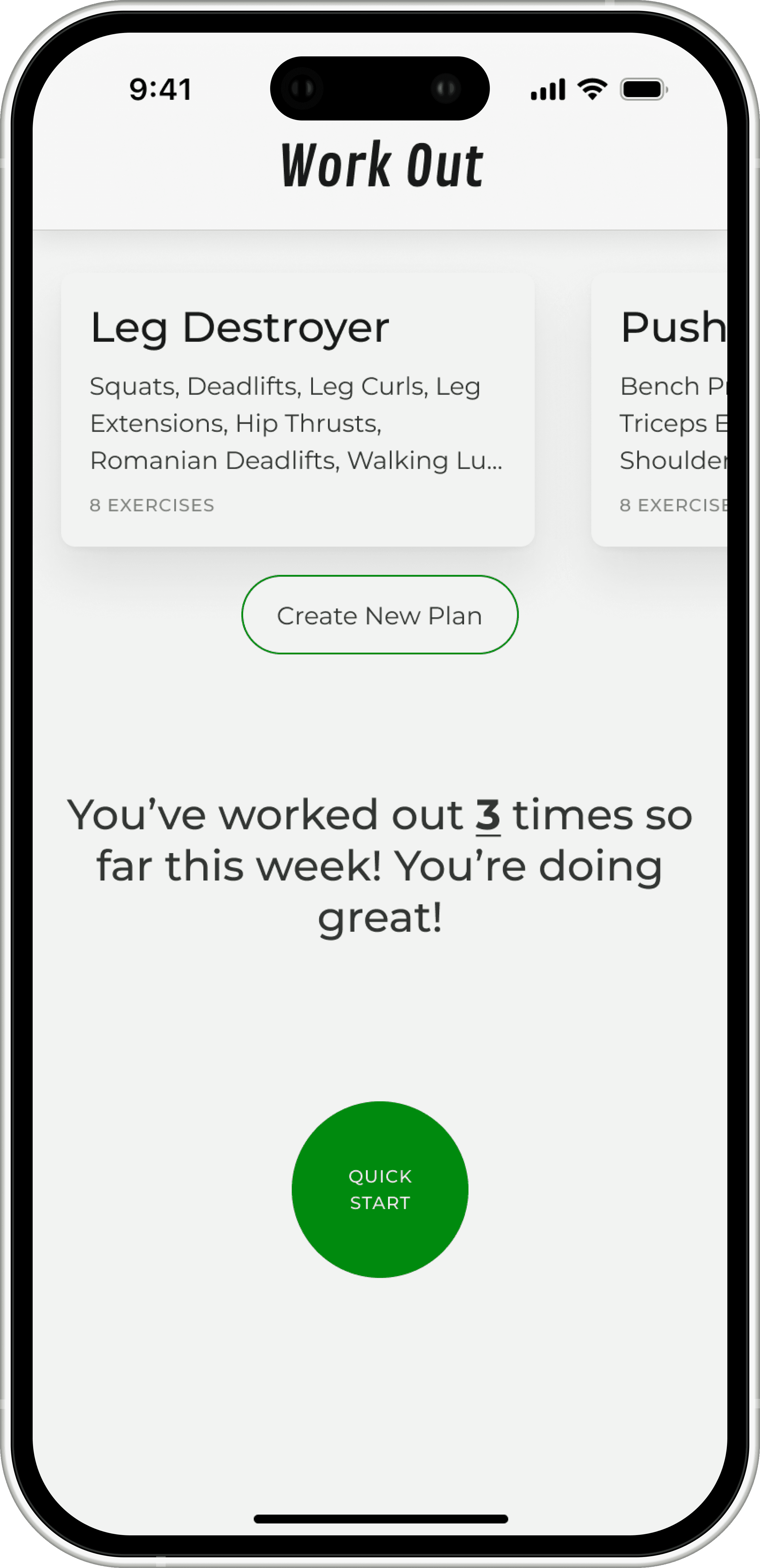
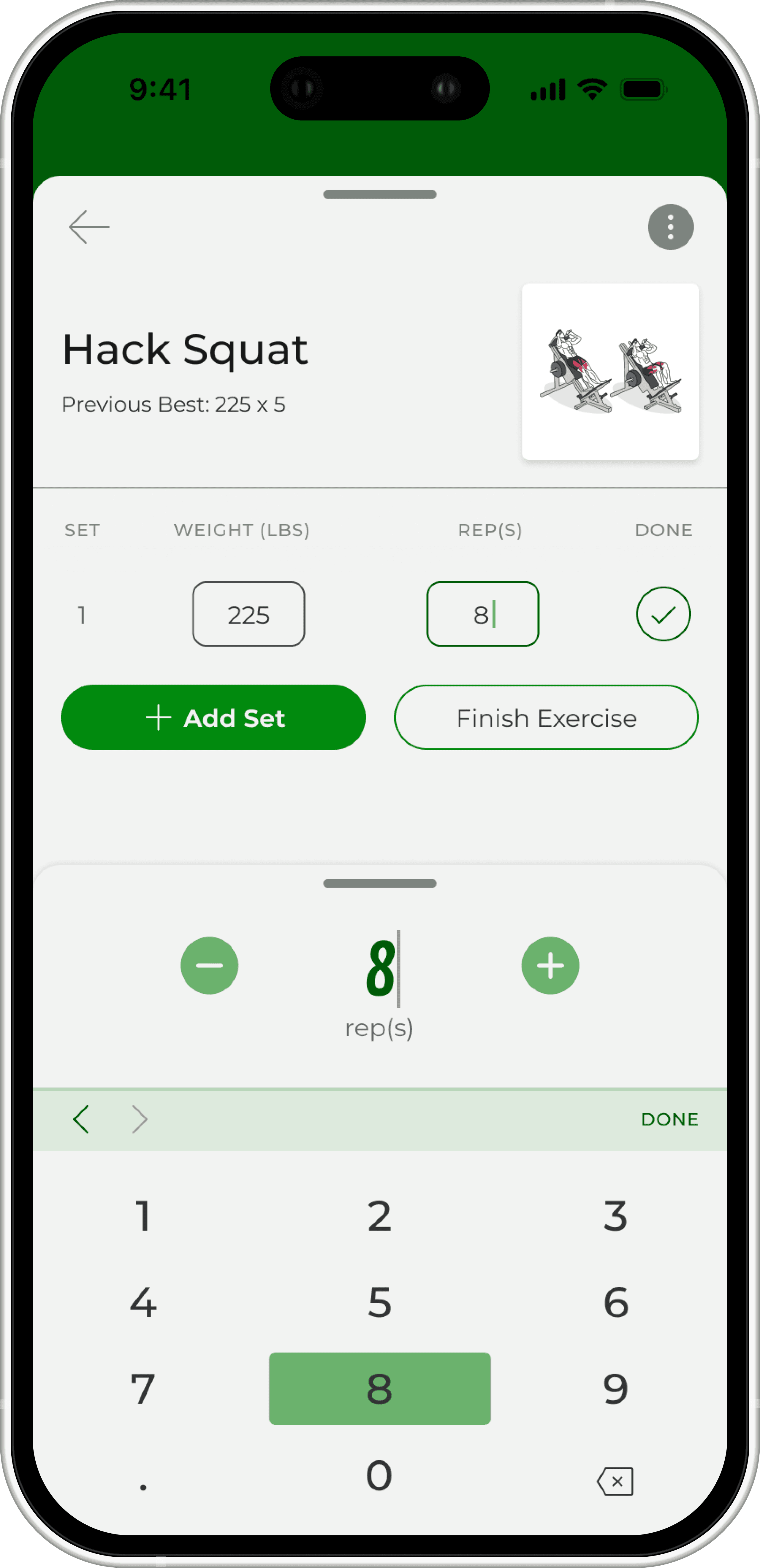
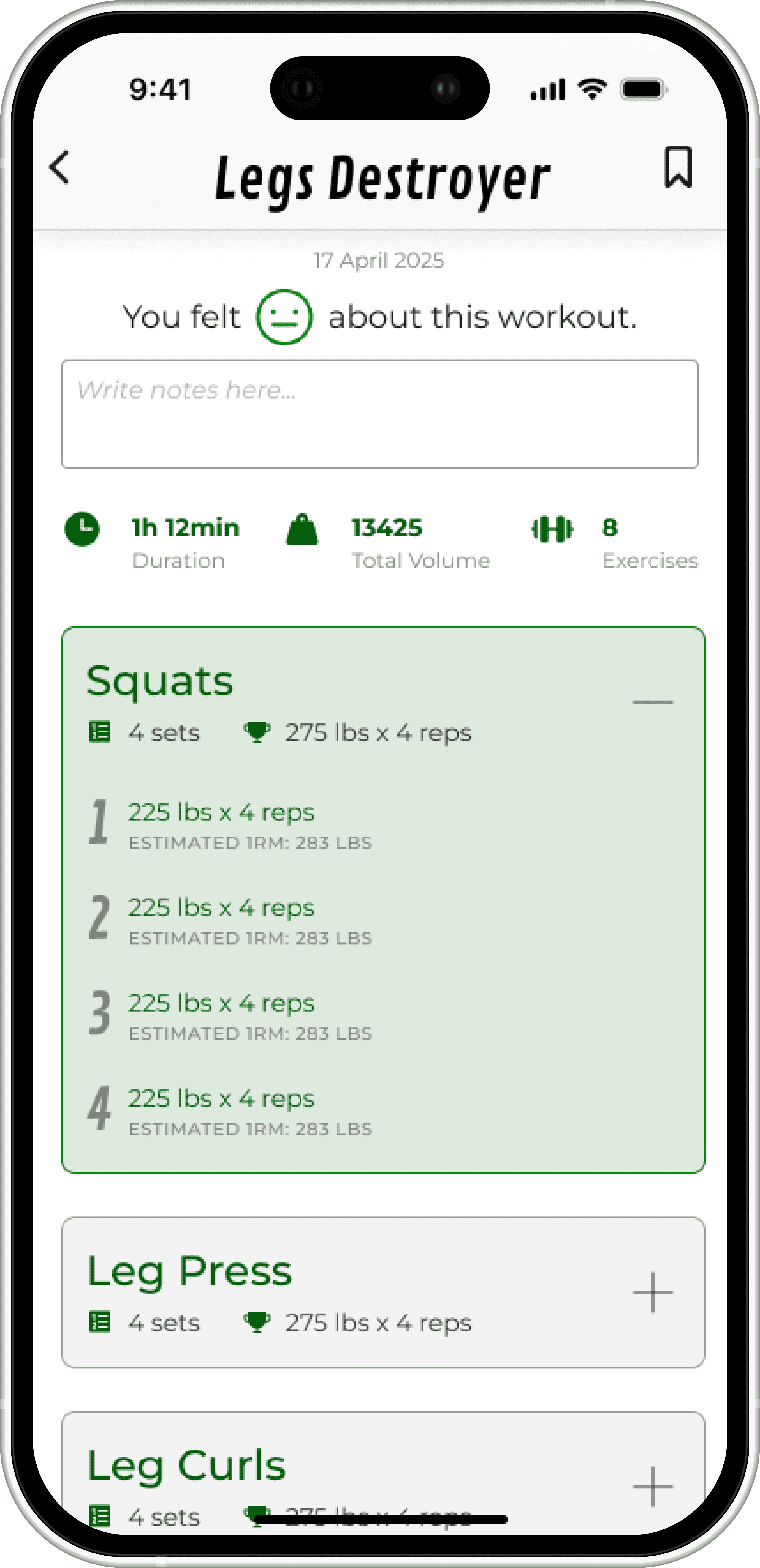
Core Pump Pal MVP screens used in the initial build.
Overview
Workout tracking that doesn’t get in the way.
Pump Pal is a mobile workout tracking app designed for lifters who want something faster than typical fitness apps but more structured than Apple Notes. The goal was to design a clean, tap-efficient MVP that supports planning, logging, and reviewing workouts in a single, simple flow.
My responsibilities
UX research
User flows and IA
Wireframes and UI
Design system and handoff
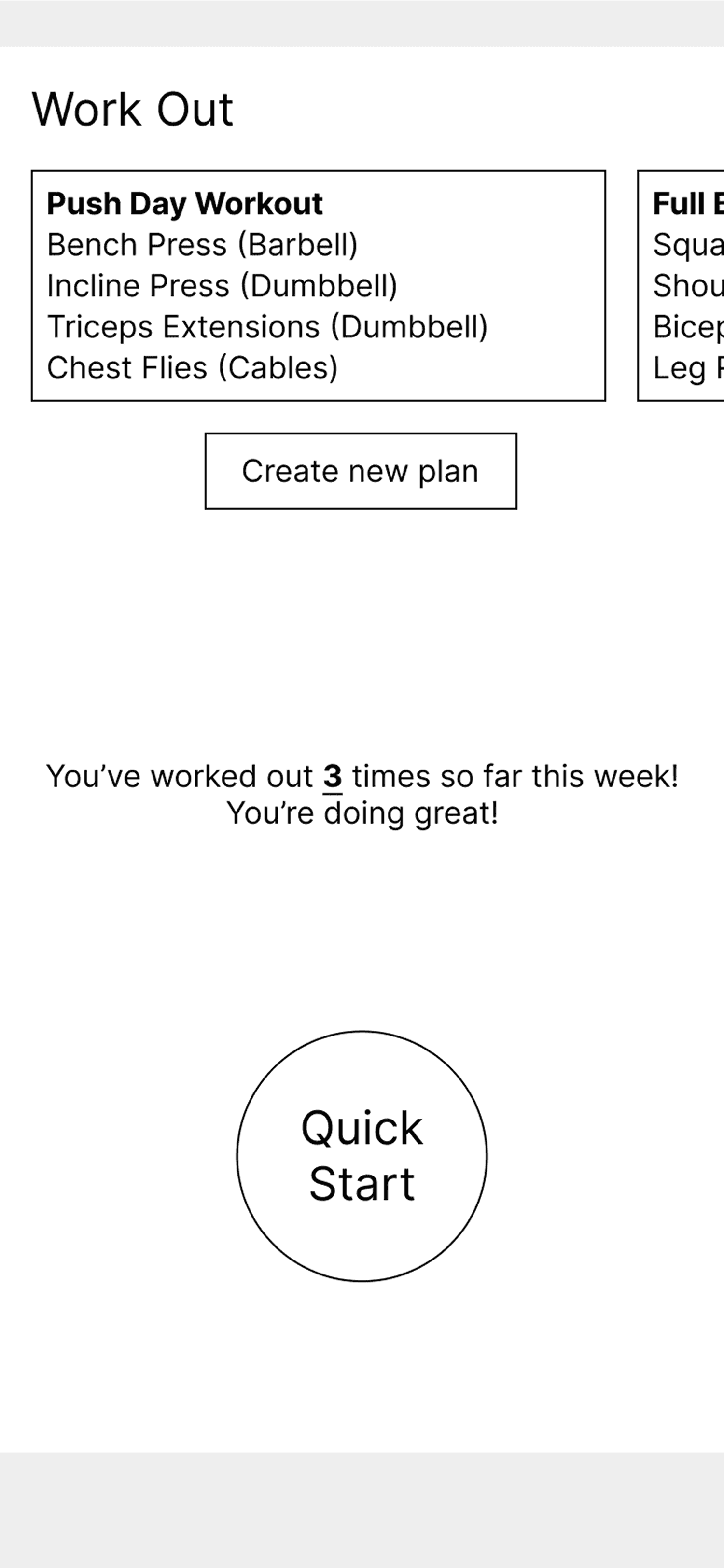
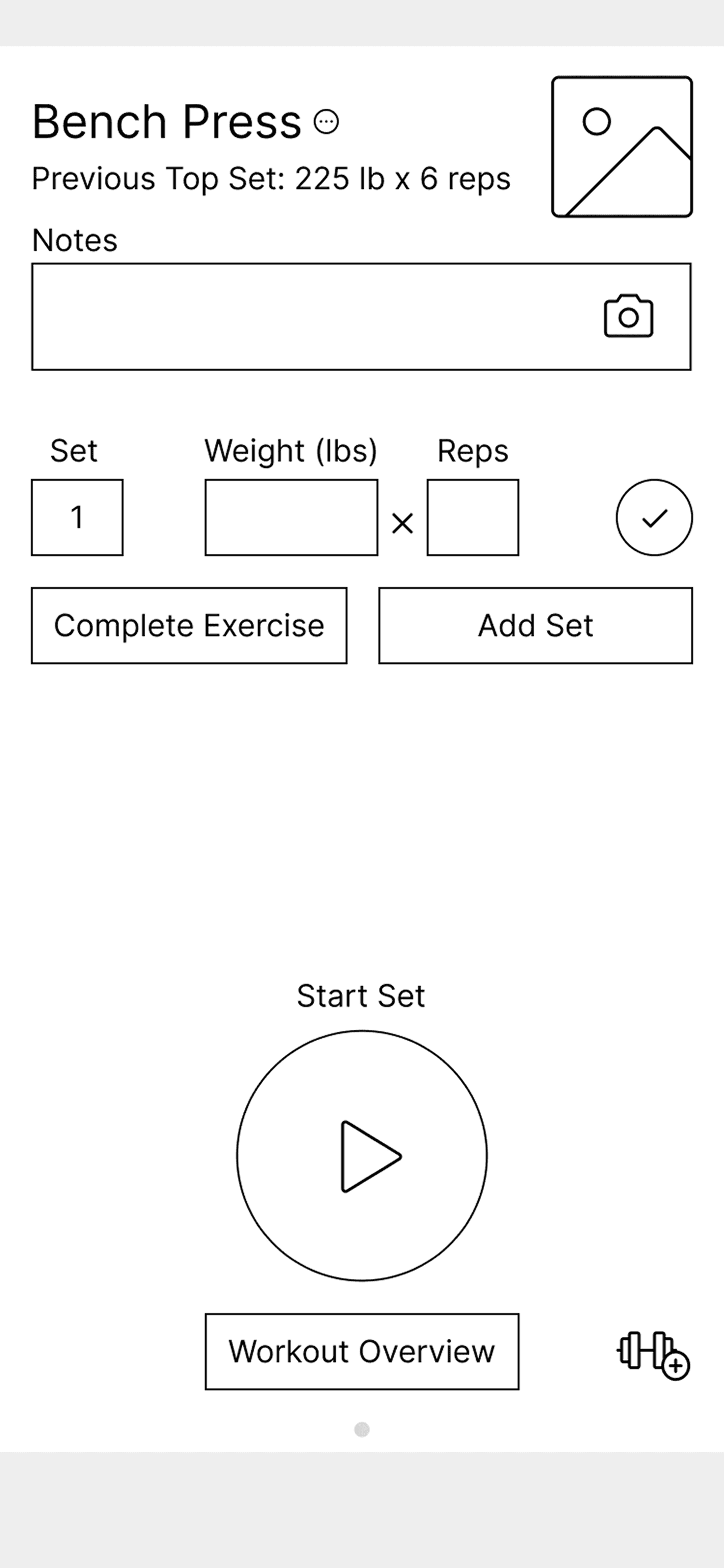
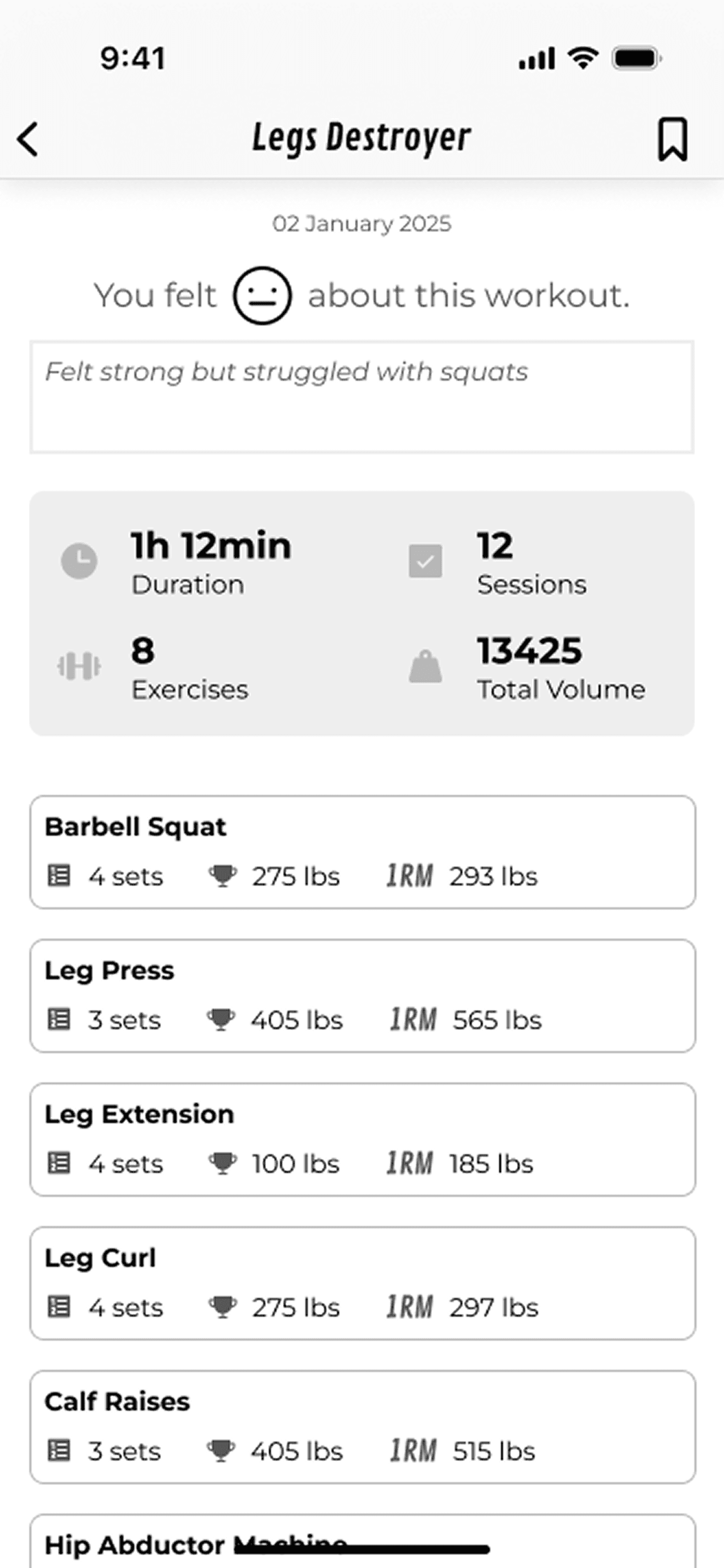
Early concept screens showing the core planning, logging, and review flow.
Problem
Full-featured apps felt slow and bloated in the middle of a workout
Notes apps were fast but had no structure, history, or feedback
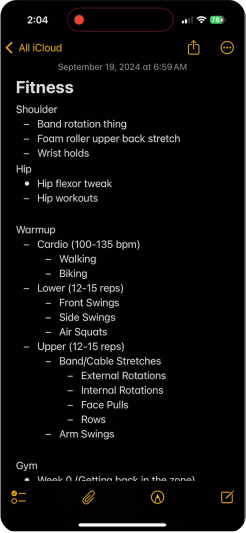
Users bounced between complex workout apps and simple notes with no structure.
Lifters wanted something simple and quick that still felt organized and helpful.
Research
How and why do lifters track workouts?
I talked to lifters and ran a short survey to understand how they track workouts and why tools stick or fail.
Methods: 3 interviews · 12+ survey responses · Recreational lifters ·
Affinity mapping
Key Patterns
History guides the next lift
People look back at old workouts to decide what to do next
Avoiding “same three exercises”
Tracking helps them break out of repeating the same routine.
Feelings, not just numbers
Lifters care how the workout felt, not only sets and reps.
Progress needs to feel real
Streaks and history make training feel tangible and motivating.
Core Insight
Tracking only works if it stays fast.
When logging feels like work, people stop.
These patterns shaped the core design principles for Pump Pal’s MVP.
Design Principles
3 Simple Rules
I shaped the MVP and numerous design decisions around these principles:
Minimal steps per set
One flow for planning, logging, and reviewing
Instant feedback on progress
Finding the flow
Tracking in Action
We started with a messy brainstorm that covered timers, templates, graphs, and shortcuts. It was useful for idea generation, but it made one thing obvious. We needed to nail the core workout flow first.
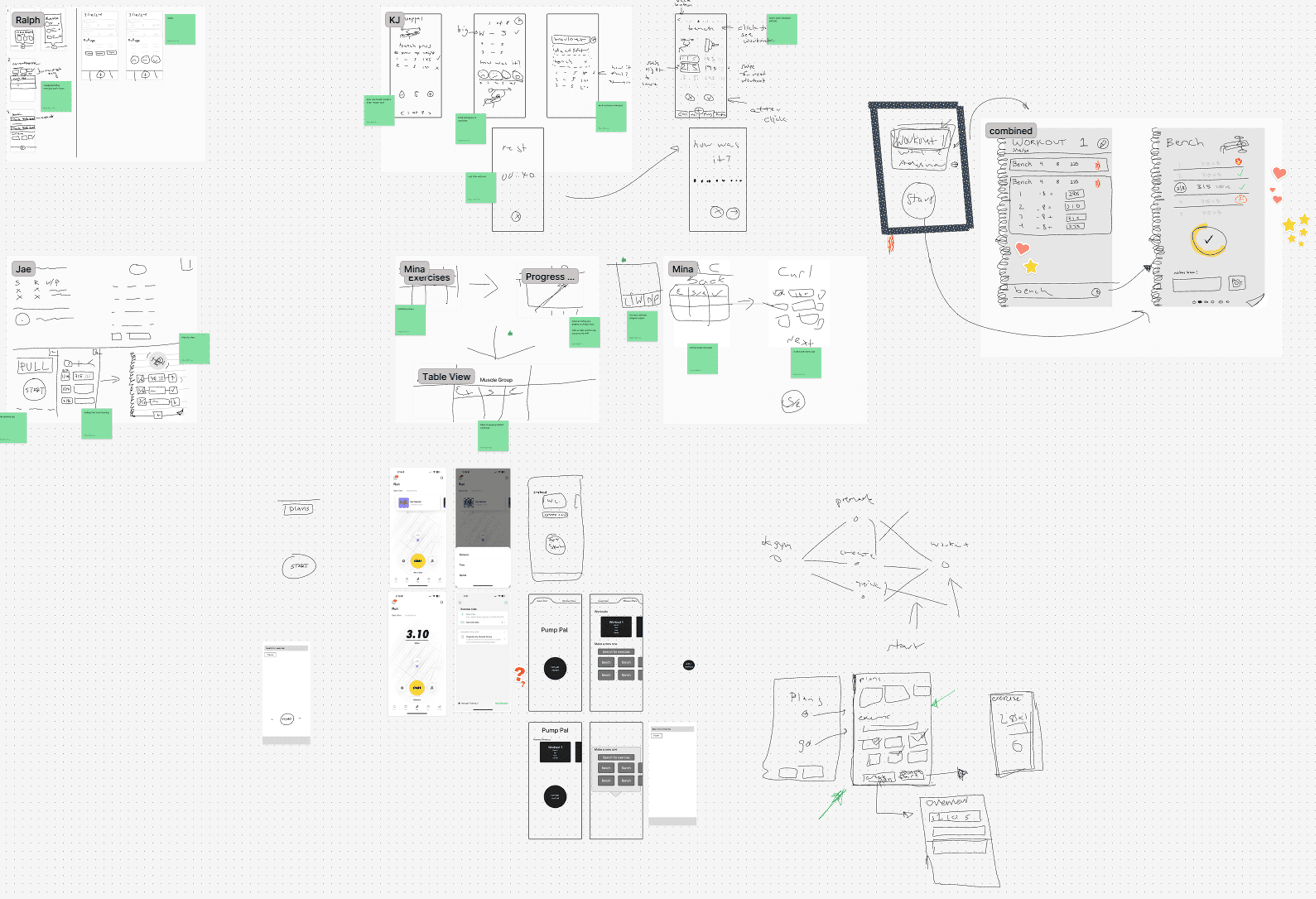
Help from a familiar app
I mapped what happens from the moment someone walks into the gym to the moment they finish. Apple Notes came up again and again, so I used its simplicity as a model. One linear flow, low friction, no forced decisions.

High-level workout flow from entering the gym to finishing the session.
Key design decisions
Making each tap count
Quick-Start Button (Home Screen)
Users wanted the fastest possible way to start a workout. During testing, several compared this to apps like Nike Run or Strava where you open the app and immediately begin.
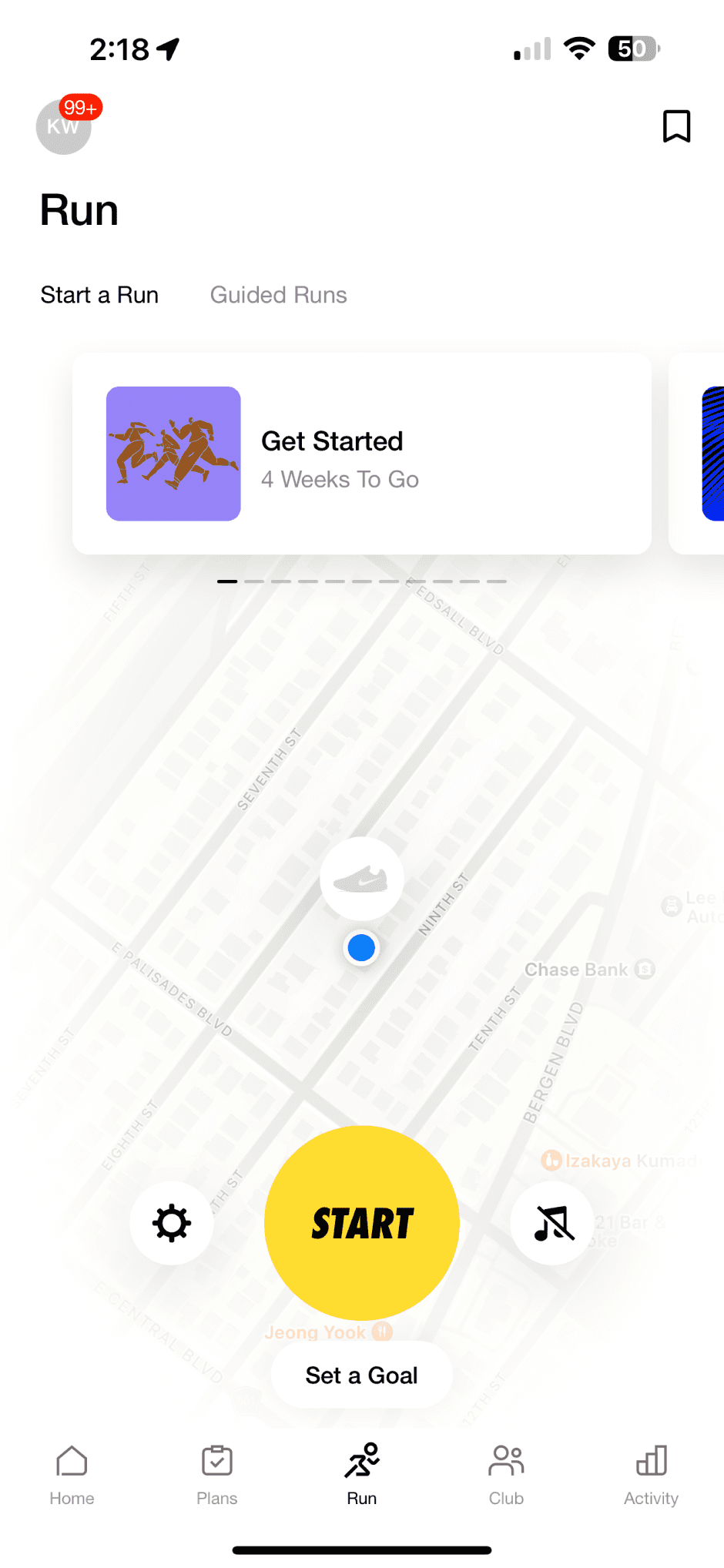

So I added a dedicated quick-start button on the home screen that:
launches a workout instantly
requires no choices or confirmation
supports the main principle of reducing steps
matches lifters’ real behavior in the gym
This gave the app a “just lift” feel and made the main flow feel effortless.
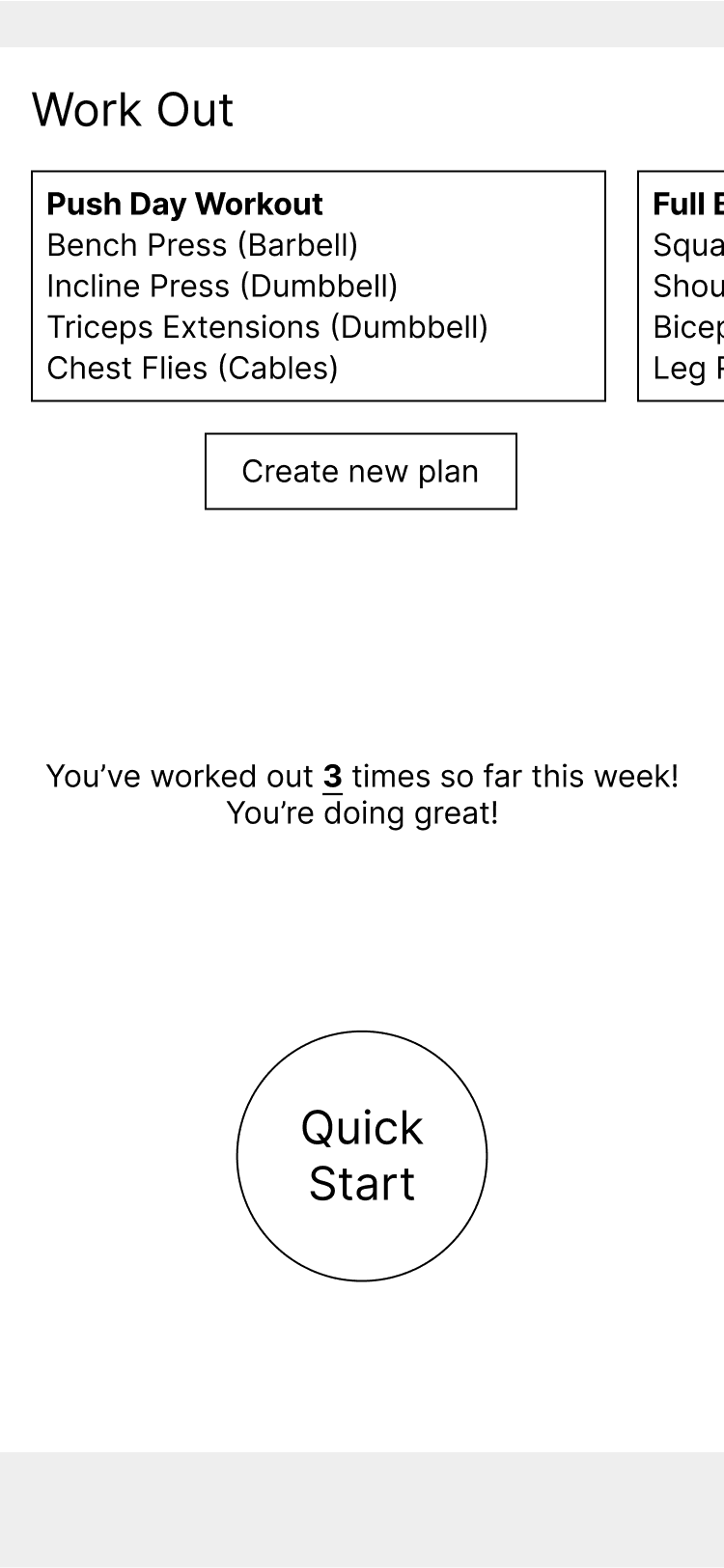
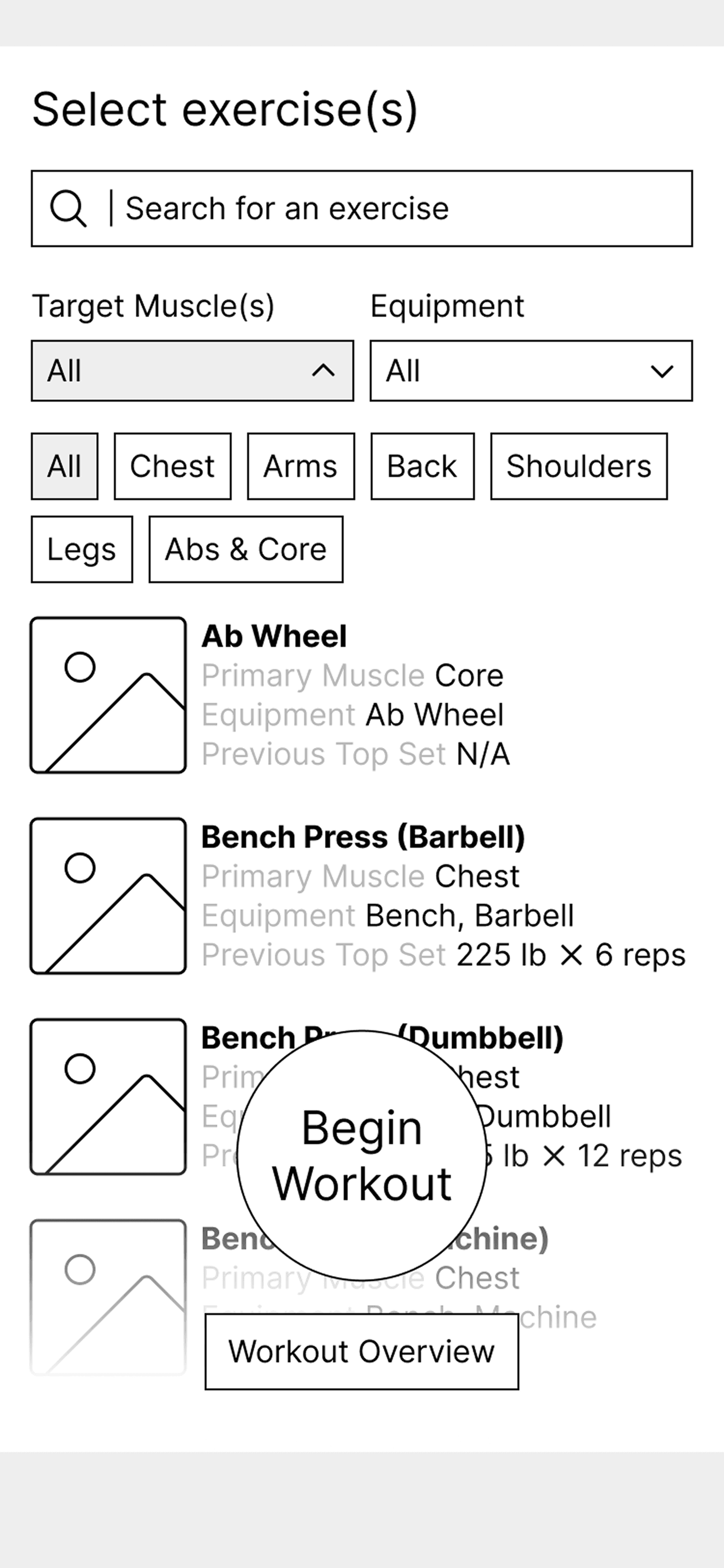
The home screen’s one-tap Quick Start launches a workout immediately.
Center Navigation Bar Button (Global Quick Actions)
Separately from the quick start, the bottom nav has a center action button. This button is global and meant for tasks outside of the current page.
I tested three patterns for the interaction:
full page
full modal
small popup menu
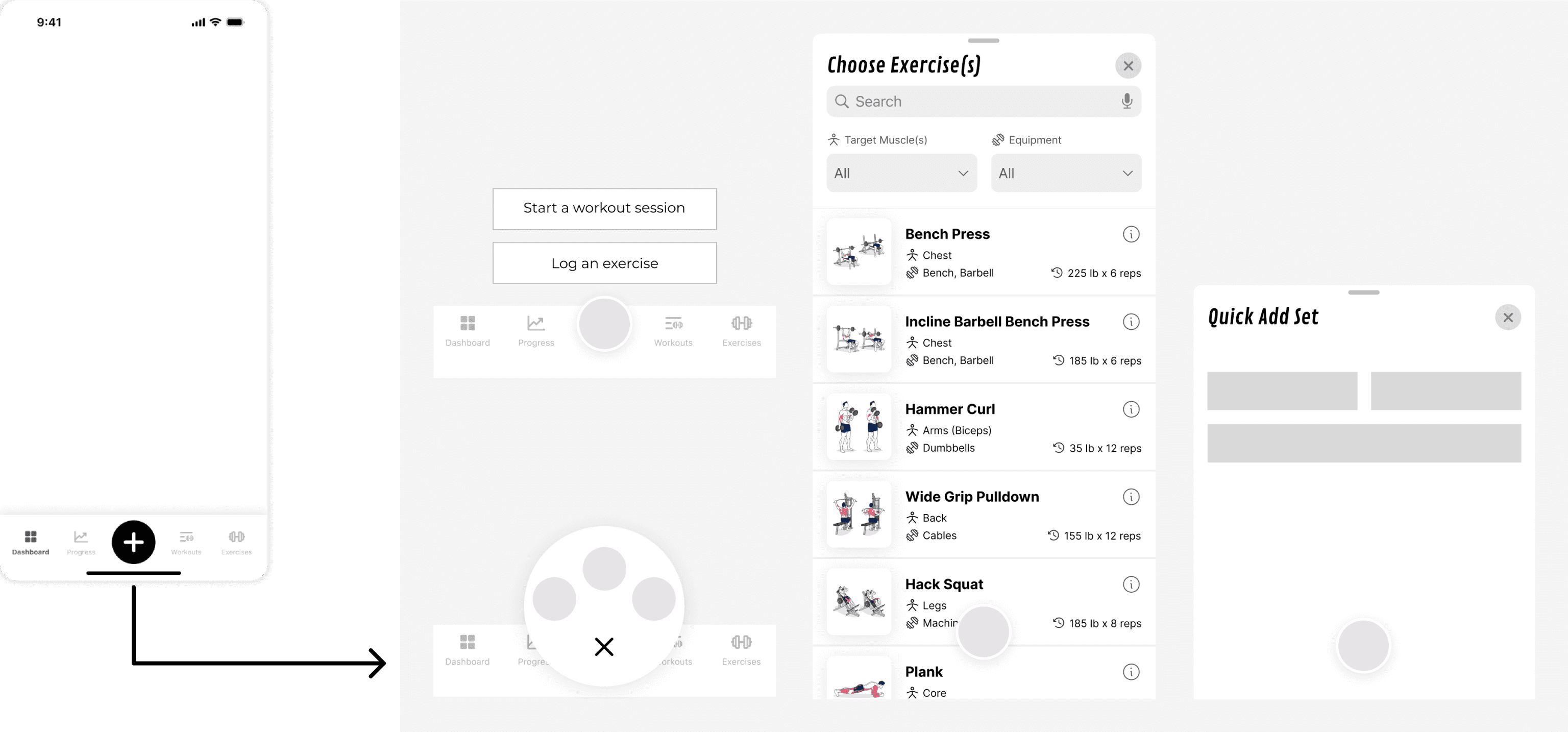
The center nav button opens a lightweight popup for quick actions anywhere in the app.
The small popup menu worked best because:
it kept users in context
users understood it faster
it didn’t feel heavy or interruptive
people could take quick actions anywhere in the app
This popup includes actions like Start Workout, Create Plan, or Log Exercise, depending on the context.
Workout Plan Cards
When exploring the plan browsing experience, I tested two formats:
paragraph-style cards
list-style cards
Users scanned the list layout much faster and mid-workout, this mattered.
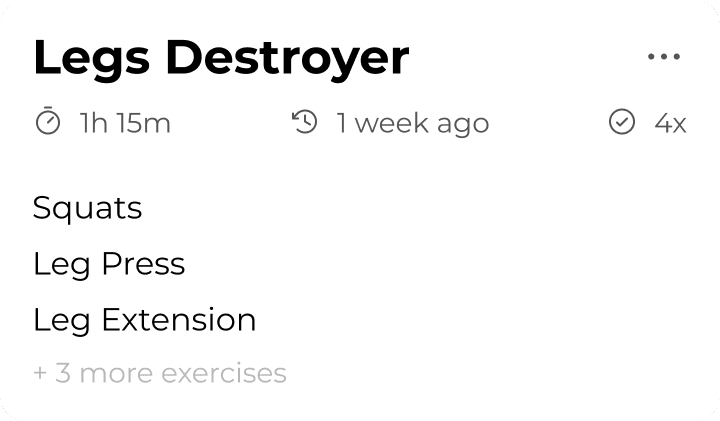

Some didn’t realize the cards were tappable, so I added a small circular CTA icon for clarity. This fixed the discoverability issue without adding visual noise.

Switching to a list layout and adding a CTA icon improved scanability and discoverability.
Visual direction & system
Creating Consistency
I chose green as the primary color since it reads as progress and growth. I built a small design system with typography, spacing, buttons, and cards so new screens stayed consistent as the app evolved.

Lightweight design system used for the Pump Pal MVP.
MVP reset and alignment
Resetting to a realistic MVP
Halfway through, the developers were building from early wireframes while I was designing more advanced features. We drifted out of sync.
I paused new feature work and reset the scope back to a clear MVP. We cut anything that did not fit the dev tools or timeline and aligned on a single flow we could all support.
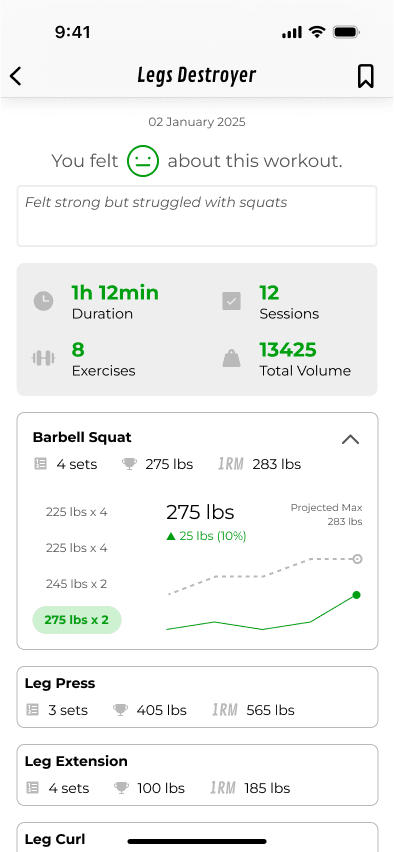
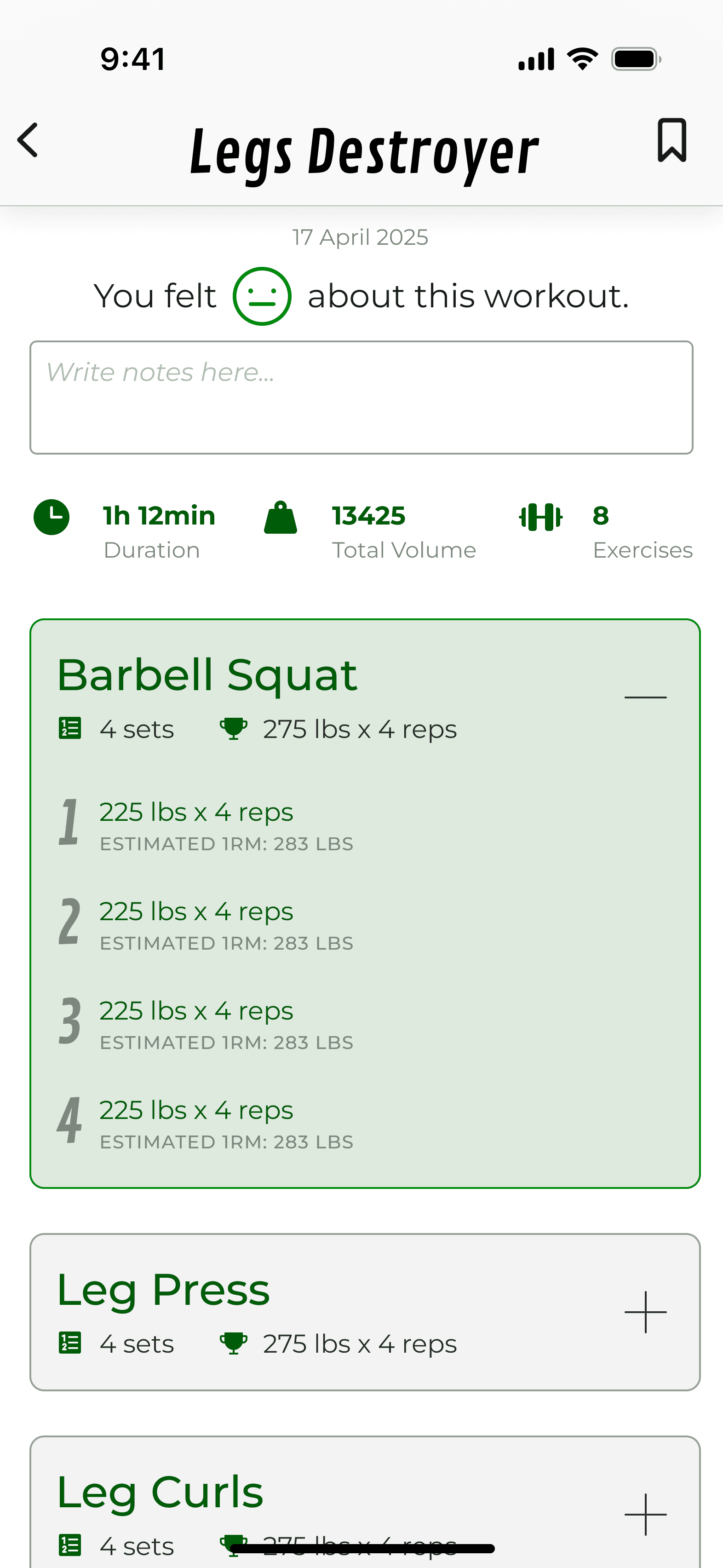
Pulling the scope back to a realistic MVP helped the team ship something focused and buildable.
The final MVP focused on:
starting a workout
choosing exercises
logging sets, weight, and reps
optional rest timer
ending with notes and “how it felt”
Outcome
A focused, frictionless way to log workouts from start to finish.
A tap-efficient logging flow rooted in how lifters already track workouts
A lightweight design system that developers could implement without guesswork
Clear navigation and interactions that reduced friction in testing
A realistic MVP that matched our dev tools, time, and constraints
Reflection
Staying flexible and focused when things get messy
This project taught me how to stay flexible when things are still forming. Designs changed, developer tools changed, and scope changed more than once. The one thing that stayed constant was the user flow.
Mapping that flow early made it much easier to reset scope, make tradeoffs, and keep the product focused. I also learned when to stop adding features and when to step back and ask, “What is the simplest version we can build that still feels good to use?”
Thank you for reading!
Please feel free to reach out with any questions or to connect.